


My Tide Times - Tables & Chart
4.81.34K Reviews
App Specs
- Version
- 26.3.1
- Updated On
- License
- Free
- Downloads
- 1,000,000+
- Developer
- JRustonApps B.V.
- Categories
- Weather
- Platform
- Android, iOS
Screenshots
 Analysis by AppCompare
Ever found yourself planning a beach day only to be surprised by the tide? It’s not exactly the kind of surprise you want when you're trying to enjoy a sunny day by the ocean. That’s where My Tide Times - Tables & Chart comes in to save the day. This app is like having a personal marine meteorologist right in your pocket, and trust me, it’s a game-changer.
When one tide check helps the whole household
I can see the app earning its place on a shared household phone when several people are planning a visit to the same coast. One person might be interested in a long beach walk, while someone else wants to fish or launch a small boat. Checking the same local tide information before leaving gives everyone a clearer starting point for the day, rather than relying on a vague guess about whether the water will be high or low.
For example, imagine a family deciding whether to take a picnic to a stretch of shore with exposed rocks. I’d check the tide before packing, then look again while planning the time to head home. That second check matters: a route that feels spacious on arrival can become less convenient as the water rises. The app can help with timing, but I would still treat it as one part of the plan, alongside local safety advice and conditions on the beach.
Features That Make Waves
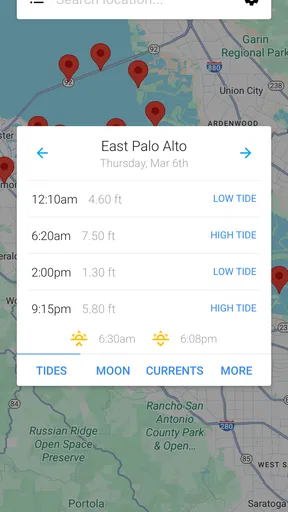
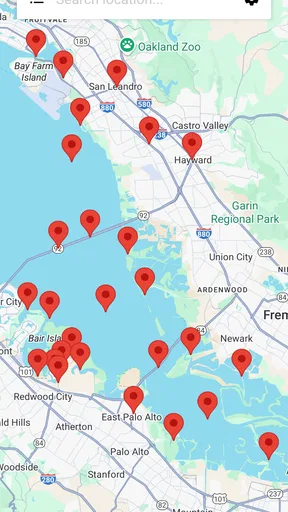
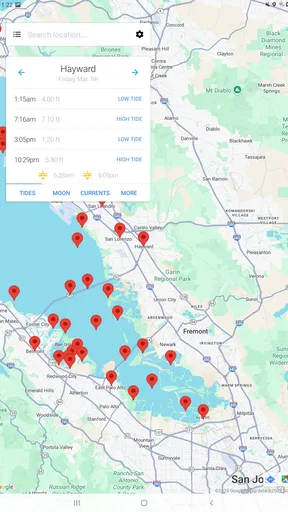
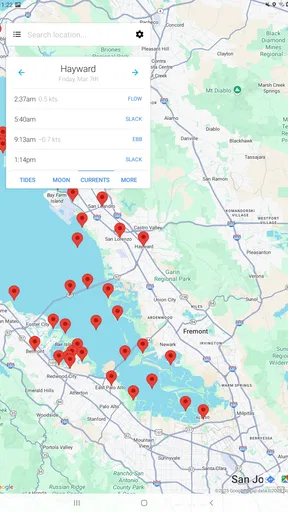
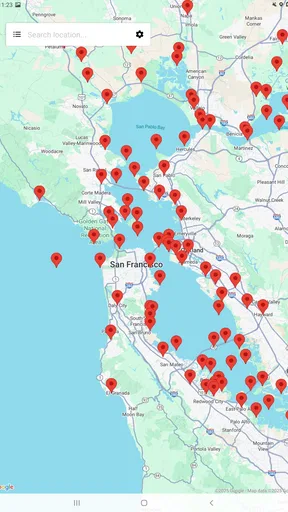
My Tide Times is packed with features that are super handy for anyone spending time near the water. First off, the app provides detailed tide tables and charts for over 9,000 locations worldwide. Whether you’re in Australia or Alaska, you’ll get accurate data at your fingertips.
The interface is sleek and straightforward, which makes it easy to navigate. You can view the tide times for the current day, or if you're planning ahead, you can check the tides for the entire week. The app even lets you save your favorite spots, so you can quickly check the tides without any hassle.
Making saved places useful for planning
Saving favorite spots is more than a convenience if your household visits a few different beaches. I’d use it to keep a regular weekend destination separate from a fishing location or a place we only visit on holiday. Before setting off, compare the relevant saved location rather than assuming the tide at one beach will tell you what is happening somewhere else. That small habit can prevent a misleading last-minute decision.
A useful workflow is to check the week ahead when choosing a day, then return to the specific day before leaving. The week view is helpful for picking a window, but it is not a substitute for checking conditions close to the outing. If your plans depend on a narrow timing window, make the tide check part of the departure routine instead of relying on a glance made several days earlier.
Worth Reading Before You Choose

EA SPORTS FC Mobile 26 Is a Bigger Football Game, but It Takes Time

Flipboard Shows What News Apps Must Do Beyond the Feed

Switching to Android Auto Means Rethinking Your Driving Routine

Google Calendar Makes a Crowded Week Easier to Manage

Ludo King Makes the Most of the Minutes Between Plans

Baby Panda World Brings Quick Play to Modern Phones, but Its Game Library Feels Busy
Real-Time Data and Alerts
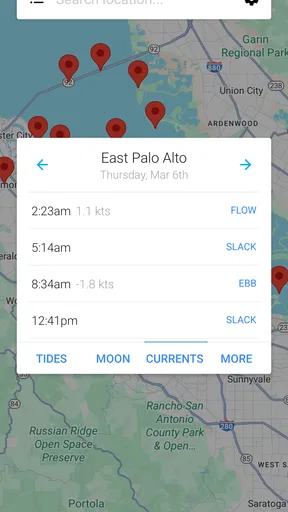
One of the standout features is the real-time data updates. The app pulls in information from multiple sources, ensuring you have the most accurate data available. Plus, if you're someone who likes to stay on top of things, you can set up alerts for when the tide reaches a specific level. This is particularly useful for activities like fishing or surfing, where timing is everything.
Alerts can be especially practical when you are occupied with something else: setting a level relevant to your plan means you do not have to keep reopening the tide chart just to see whether that point has been reached. I would still check the chart when making the plan, because an alert is a prompt, not a safety guarantee. If the outing involves a changing shoreline, keep an eye on the actual water and follow local guidance rather than treating a phone notification as permission to continue.
Moon and Sun Insights
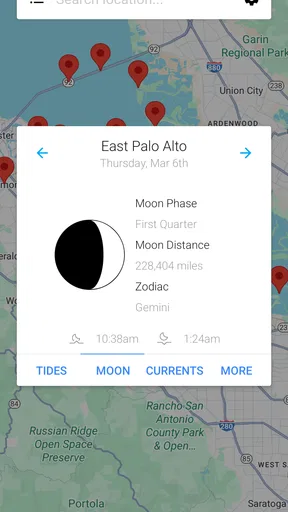
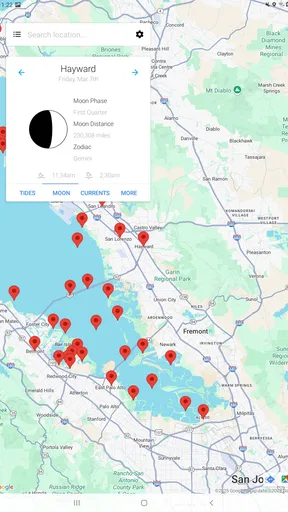
Ever wondered how the moon affects the tides? My Tide Times has got you covered. The app includes moon phase information, sunrise and sunset times, and even the height of the tides. It’s a fantastic tool for understanding how celestial events influence the tides, which is pretty fascinating if you ask me!
Those details also make the app useful for choosing the feel of an outing, not just its timing. I might compare daylight and tide information when deciding whether a walk is realistic before dinner, or whether a quieter early visit is worth the effort. Moon phases add context for curious users, though I would not expect them alone to tell me exactly what a particular beach will be like.
Shared-device boundaries and age context
Because this is a practical reference tool, a shared phone can work well without turning the app into a complicated family account system. Each person can use the tide information and saved places available on that device, so I would agree on a simple household habit: confirm the location before checking, and avoid changing another person’s saved spots without asking. That keeps shared planning clear without assuming the app provides separate profiles or family controls.
The app is rated for Everyone, which makes its subject matter suitable for general household use. Still, tide charts are information, not supervision. I would explain to younger users that a table can support a plan but cannot replace an adult’s judgement, beach signs, weather awareness, or local safety instructions. For trips where children are near water, the responsible adult remains the decision-maker.
Why You’ll Love It
Now, you might be thinking, “Do I really need a tide app?” Well, here’s why My Tide Times is worth a download. If you’re someone who loves water activities, this app is essential. Surfers can catch the best waves, anglers can plan their fishing trips, and beachgoers can avoid being caught off guard.
But it’s not just for the adventurous. Even if you’re just a casual beach walker, knowing when the tide comes in can help you avoid any soggy surprises. Plus, the app is free, so there’s really no downside to giving it a try.
Where it fits among weather and tide options
Compared with a general weather app, this one is focused on a question ordinary forecasts may not answer clearly: when the tide is expected to change at a chosen coastal location. That focus is its advantage when the shoreline is central to your plans. A broad weather app remains the better first stop if your main concern is rain, wind, or the wider forecast; I would use the two for different jobs rather than expect a tide tool to replace a complete weather service.
It is also different from simply searching for a tide time online. Keeping favorite places and viewing a week at a glance can make repeated planning less fiddly, especially for someone who visits the same coast often. On the other hand, a person who goes to the beach only occasionally and does not need alerts or saved locations may find a quick, one-off search enough. The app is most worthwhile when tide timing is a recurring part of how you choose where or when to go.
What Could Be Improved
While My Tide Times is fantastic, no app is perfect. Some users have reported that the GPS functionality can be a bit spotty in remote areas. Additionally, while the app covers a vast number of locations, there are still some lesser-known spots that might not be included.
That makes choosing the location deliberately a sensible habit, particularly when travelling or visiting a small coastal area. If GPS does not settle on the place you expect, check the selected spot rather than assuming the nearest result is the right one. Coverage across many locations is useful, but it does not remove the need to verify that the app’s location matches the beach, harbour, or stretch of coast you actually mean.
However, these are minor issues in the grand scheme of things. The developers seem committed to improvement, so updates are frequent and helpful.
Who should choose it—and who can skip it
I’d recommend the app to regular beach walkers, anglers, surfers, and anyone who coordinates coastal outings around particular tide windows. It also makes sense for a household that returns to a handful of familiar places, because saved locations and alerts can reduce repeated searching. JRustonApps B.V. has kept the focus on tide planning, which is exactly what makes the app handy for these routines.
If you rarely visit the coast, want a full weather forecast as your main tool, or need a guarantee about safe water conditions, this is not a complete solution. Nor would I plan a technical boating trip from tide information alone. Use it to understand timing and compare locations, then bring in the forecasts, local knowledge, and safety checks that your activity requires.
Final Thoughts
If you’re looking for a reliable and user-friendly tide app, My Tide Times - Tables & Chart should be at the top of your list. It’s comprehensive, easy to use, and packed with features that are incredibly useful for anyone spending time by the sea.
It is free, has an average rating of 4.8 from around 27,000 ratings, and has been installed over a million times. Its current version is 26.2.0, and it runs on Android 7.0 or later. Those figures suggest a well-established choice, though my recommendation still comes down to whether tide timing is something you regularly need. I’d start by checking a familiar location and seeing whether the tables, chart, and saved-place workflow suit the way you plan.
Whether you’re a seasoned sailor or just someone who enjoys a nice beach day, this app is a must-have. Download it, explore its features, and you’ll wonder how you ever managed without it. Trust me, your beach outings will never be the same again!
Pros
- User-friendly interface for easy navigation.
- Accurate tide predictions globally.
- Offline access to saved locations.
- Customizable alerts for tide changes.
- Supports multiple languages.
Cons
- Limited features in free version.
- Occasional ads can be distracting.
- Data updates require internet connection.
- No fishing forecast integration.
- Basic design lacks visual appeal.
FAQs for My Tide Times - Tables & Chart
What features does My Tide Times offer?
My Tide Times provides comprehensive tide predictions, including high and low tide times, sunrise and sunset data, as well as moon phases. The app covers thousands of locations worldwide, ensuring accurate information no matter where you are. It also offers a simple, user-friendly interface, making it easy for beginners and experienced users alike.
Is My Tide Times available offline?
Yes, My Tide Times allows users to access previously downloaded tide information offline. This feature is particularly useful for users who may be in areas with limited or no internet access, such as remote beaches or while out at sea. However, ensure to download the necessary data beforehand.
How accurate is the tide information provided by My Tide Times?
The app uses data from reliable sources like the National Oceanic and Atmospheric Administration (NOAA) and other trusted organizations to ensure accuracy. While the app strives for precision, users should be aware that tides can be affected by weather conditions and other factors, so it's always good to double-check with local sources.
Does My Tide Times support notifications for tide changes?
Yes, the app includes customizable notification features. Users can set alerts for upcoming high or low tides, ensuring they never miss an important tide change. This is particularly beneficial for those involved in activities like fishing, surfing, or boating, where tide times are crucial.
Is My Tide Times free to use?
My Tide Times is available as a free download with basic features. However, there is a premium version that offers additional features, such as an ad-free experience and extended tide forecasts. Users can choose to upgrade for a small fee if they want access to these enhanced options.


